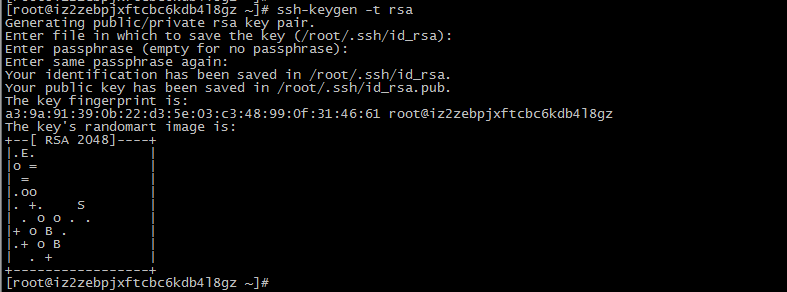
4、修改配置文件 vi /etc/hosts(三台机器) 增加以下配置
[mw_shl_code=applescript,true]10.9.1.101 node101
10.9.1.102 node102
10.9.1.103 node103[/mw_shl_code]
vi /home/hadoop/hadoop-3.0.0/etc/hadoop/core-site.xml(三台机器)
[mw_shl_code=applescript,true]<?xml version="1.0" encoding="UTF-8"?>
<?xml-stylesheet type="text/xsl" href="configuration.xsl"?>
<!--
Licensed under the Apache License, Version 2.0 (the "License");
you may not use this file except in compliance with the License.
You may obtain a copy of the License at
http://www.apache.org/licenses/LICENSE-2.0
Unless required by applicable law or agreed to in writing, software
distributed under the License is distributed on an "AS IS" BASIS,
WITHOUT WARRANTIES OR CONDITIONS OF ANY KIND, either express or implied.
See the License for the specific language governing permissions and
limitations under the License. See accompanying LICENSE file.
-->
<!-- Put site-specific property overrides in this file. -->
<configuration>
<property>
<name>fs.defaultFS</name>
<value>hdfs://node101:9000</value>
<description>HDFS的URI,文件系统://namenode标识:端口</description>
</property>
<property>
<name>hadoop.tmp.dir</name>
<value>/opt/hadoop</value>
<description>namenode上传到hadoop的临时文件夹</description>
</property>
<property>
<name>fs.checkpoint.period</name>
<value>3600</value>
<description>用来设置检查点备份日志的最长时间</description>
</property>
</configuration>[/mw_shl_code]
vi /home/hadoop/hadoop-3.0.0/etc/hadoop/hdfs-site.xml(三台机器)
[mw_shl_code=applescript,true]<?xml version="1.0" encoding="UTF-8"?>
<?xml-stylesheet type="text/xsl" href="configuration.xsl"?>
<!--
Licensed under the Apache License, Version 2.0 (the "License");
you may not use this file except in compliance with the License.
You may obtain a copy of the License at
http://www.apache.org/licenses/LICENSE-2.0
Unless required by applicable law or agreed to in writing, software
distributed under the License is distributed on an "AS IS" BASIS,
WITHOUT WARRANTIES OR CONDITIONS OF ANY KIND, either express or implied.
See the License for the specific language governing permissions and
limitations under the License. See accompanying LICENSE file.
-->
<!-- Put site-specific property overrides in this file. -->
<configuration>
<property>
<name>dfs.replication</name>
<value>3</value>
<description>副本个数,默认配置是3,应小于datanode机器数量</description>
</property>
<property>
<name>dfs.name.dir</name>
<value>/home/hadoop/hadoop-3.0.0/hdfs/name</value>
<description>datanode上存储hdfs名字空间元数据</description>
</property>
<property>
<name>dfs.data.dir</name>
<value>/home/hadoop/hadoop-3.0.0/hdfs/data</value>
<description>datanode上数据块的物理存储位置</description>
</property>
</configuration>[/mw_shl_code]
vi /home/hadoop/hadoop-3.0.0/etc/hadoop/hadoop-env.sh (三台机器)
设置java_home(54行左右)
export JAVA_HOME=/usr/java/jdk1.8.0_11
vi /home/hadoop/hadoop-3.0.0/etc/hadoop/worker(namenode节点机器)
[mw_shl_code=applescript,true]node101
node102
node103[/mw_shl_code]
备注:node101、node102、node103分别是三台服务器设置的名称
5、初始化namenode节点 /home/hadoop/hadoop-3.0.0/bin/hadoop namenode -format
6、启动hdfs /home/hadoop/hadoop-3.0.0/sbin/start-dfs.sh
7、检查hdfs集群启动情况 jps
在namenode节点的机器上能看到namenode和datanode两个进程,在datanode节点的机器上只能看到datanode进程,我安装的namenode在node101机器上,datanode是101~103
备注:当启动出错的时候可以去hadoop安装的根目录下的logs目录下查看错误日志
(因为我只需要使用hdfs文件存储,所以暂时只配置这么多,如果还需要map-reduce等其他的功能还要配置其他的东西,这个只能以后有机会再整理了)